When the network blocks Tor itself
Since version 1.6, the Android app carries Tor inside. But some networks do not just block a website: they recognise Tor traffic by its shape and cut it. There, having Tor is not enough. Version 1.7 adds disguised bridges: ways into Tor that are on no public list and that also make your connection stop looking like Tor.
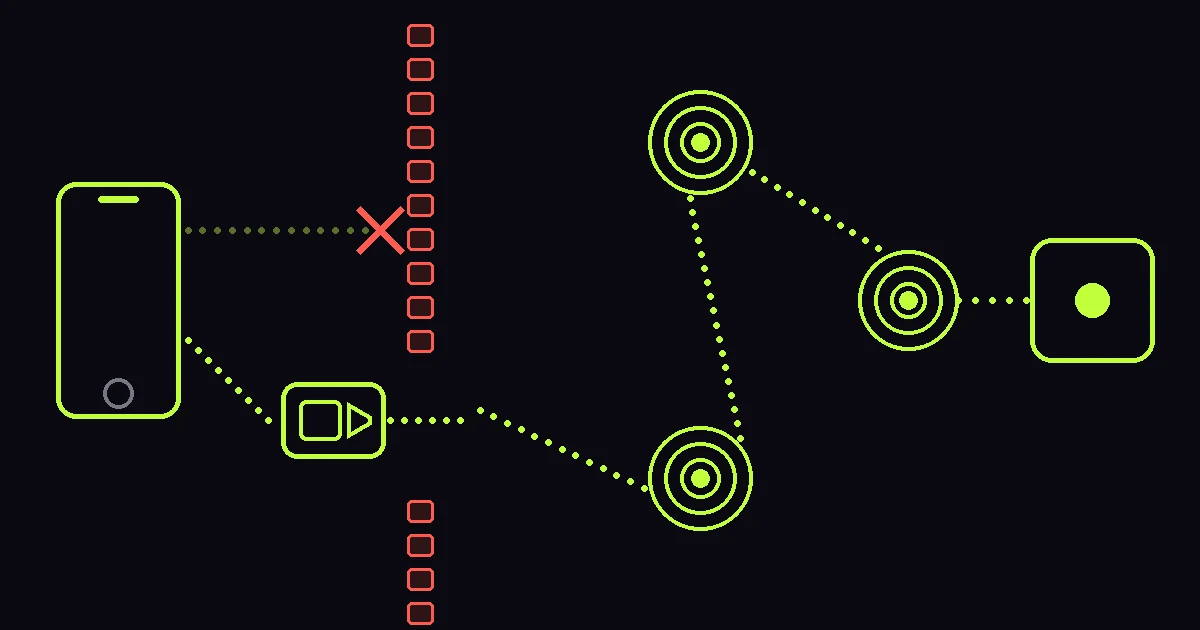
One tap, nothing to request from anyone
Until now, using bridges meant going to a Tor Project page or emailing them for a few lines, then pasting those by hand. One person in a thousand does that. In xox 1.7 you open Settings → Tor → Bridges, pick Automatic, and that is it: your connection is disguised as a video call and bounced through volunteers around the world. Nothing to request, nothing to paste, nothing to understand.
If you prefer your own, that works too: the app accepts obfs4, webtunnel, meek and snowflake, as well as plain bridges.
What you gain
With a disguised bridge, your carrier and your Wi-Fi cannot see that you use Tor, nor that you use xox. We already hid the site name and the destination; now we hide the shape of the traffic too. It is the highest level of protection the app offers, on top of end-to-end encryption and Tor itself.
And if it does not work, we do not connect you
This is the part we are proudest of. With bridges on, if none of them can be used, xox does not connect. There is no silent fallback to a direct connection while the screen says you are on bridges: the app stays closed and sends nothing. And when it does connect, it shows you the bridges Tor is actually using, not what a switch claims.
What it costs
With bridges, Tor takes longer to connect — half a minute is normal — and runs a bit slower. If Tor connects without them, leave them off. And the usual caveat stands: calls, live rooms and 1-to-1 sessions still go outside Tor on purpose, with a warning every time, because Tor does not carry that kind of traffic.
It is in 1.7, already available on Google Play, on xox.is and on GitHub.